Domains
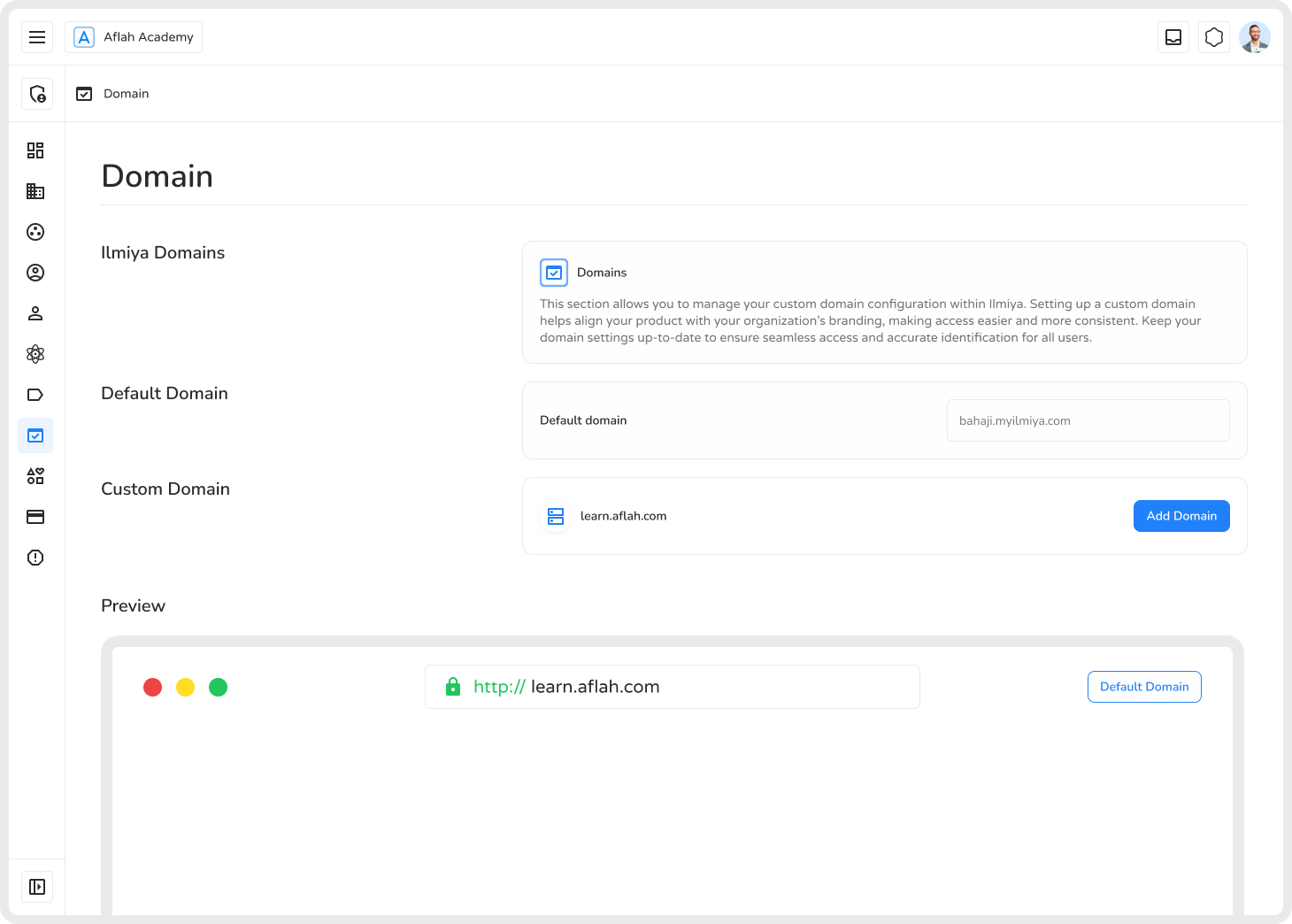
Custom domains allow organizations to personalize their platform’s URL — enhancing branding, accessibility, and professionalism. Ilmiya’s Custom Domain Management feature lets admins configure and manage domains efficiently.
What is a Custom Domain?
Section titled “What is a Custom Domain?”A custom domain is a unique web address (e.g., learn.example.com) that replaces the default Ilmiya domain, aligning the platform with an organization’s brand and making it easier for users to access.
Key Features
Section titled “Key Features”- Default Domain — Automatically assigned by Ilmiya (e.g.,
bahaji.myilmiya.com). - Custom Domain Setup — Add one or multiple branded domains for better visibility and user experience.
- Domain Configuration Panel — Enter your preferred domain, preview changes, and verify setup.
How to Add a Custom Domain
Section titled “How to Add a Custom Domain”- Navigate to the Domain section and click Add Your Domain.
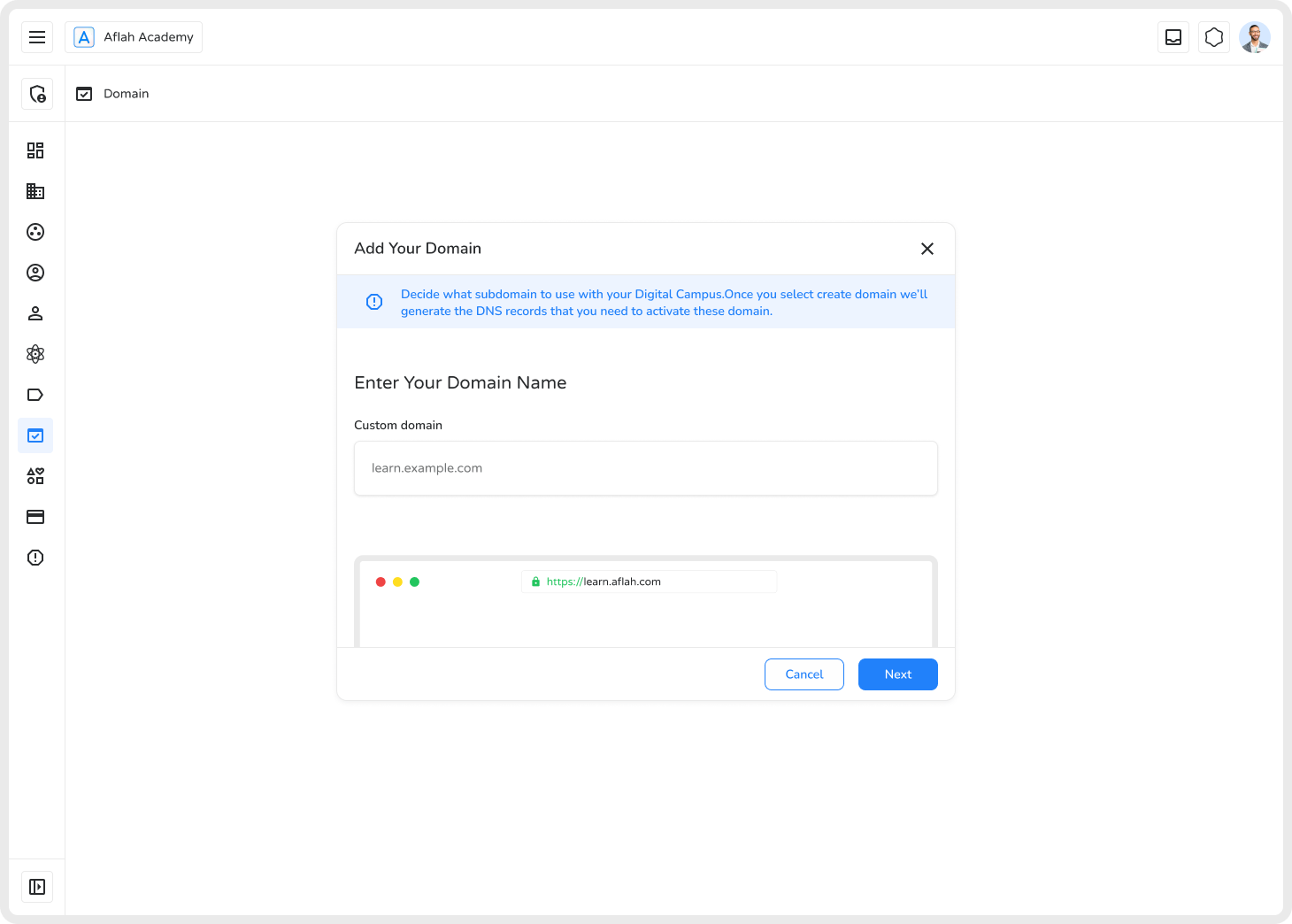
- Enter your subdomain (e.g.,
learn.example.com) and click Next. - Click Add Domain to generate DNS TXT records.
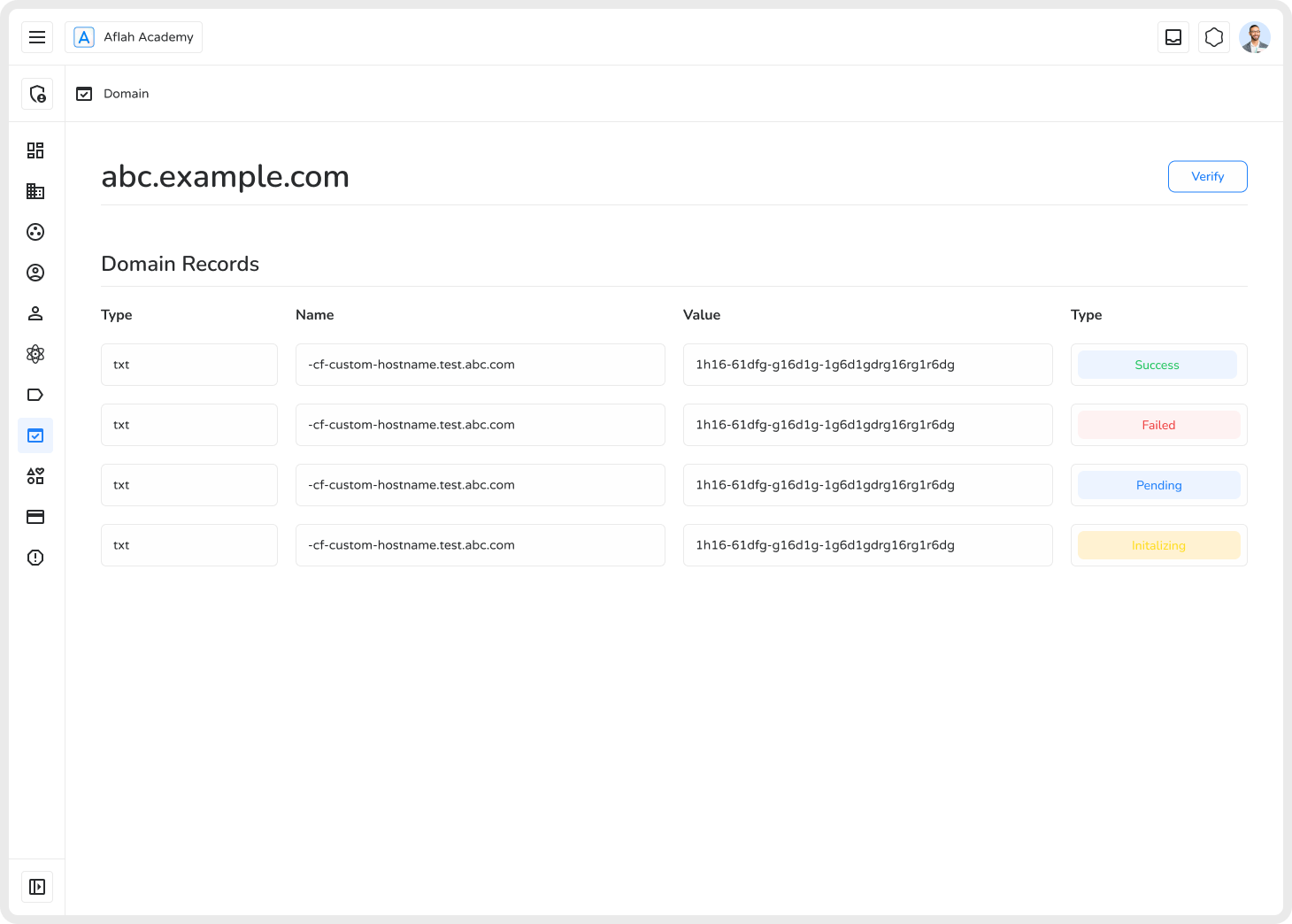
- Copy the DNS TXT records and add them in your domain hosting provider (e.g., Cloudflare, GoDaddy, Route 53).
- Return to Ilmiya and click Verify.
- Wait for all records to show Success status.
Benefits
Section titled “Benefits”| Benefit | Description |
|---|---|
| Brand Identity | Strengthens visibility and builds user trust |
| Easier Access | Users can remember and navigate to the platform easily |
| Seamless Integration | Works smoothly alongside existing institutional websites |
| Professionalism | Presents a polished, branded appearance to all users |
Ilmiya’s Custom Domain Management empowers organizations to create a professional, branded, and easily accessible learning platform.