Labels
Labels are a versatile tool in Ilmiya for organizing and categorizing elements such as students, tasks, and spaces. They help track performance, manage tasks efficiently, and enable quick identification of items based on specific criteria.
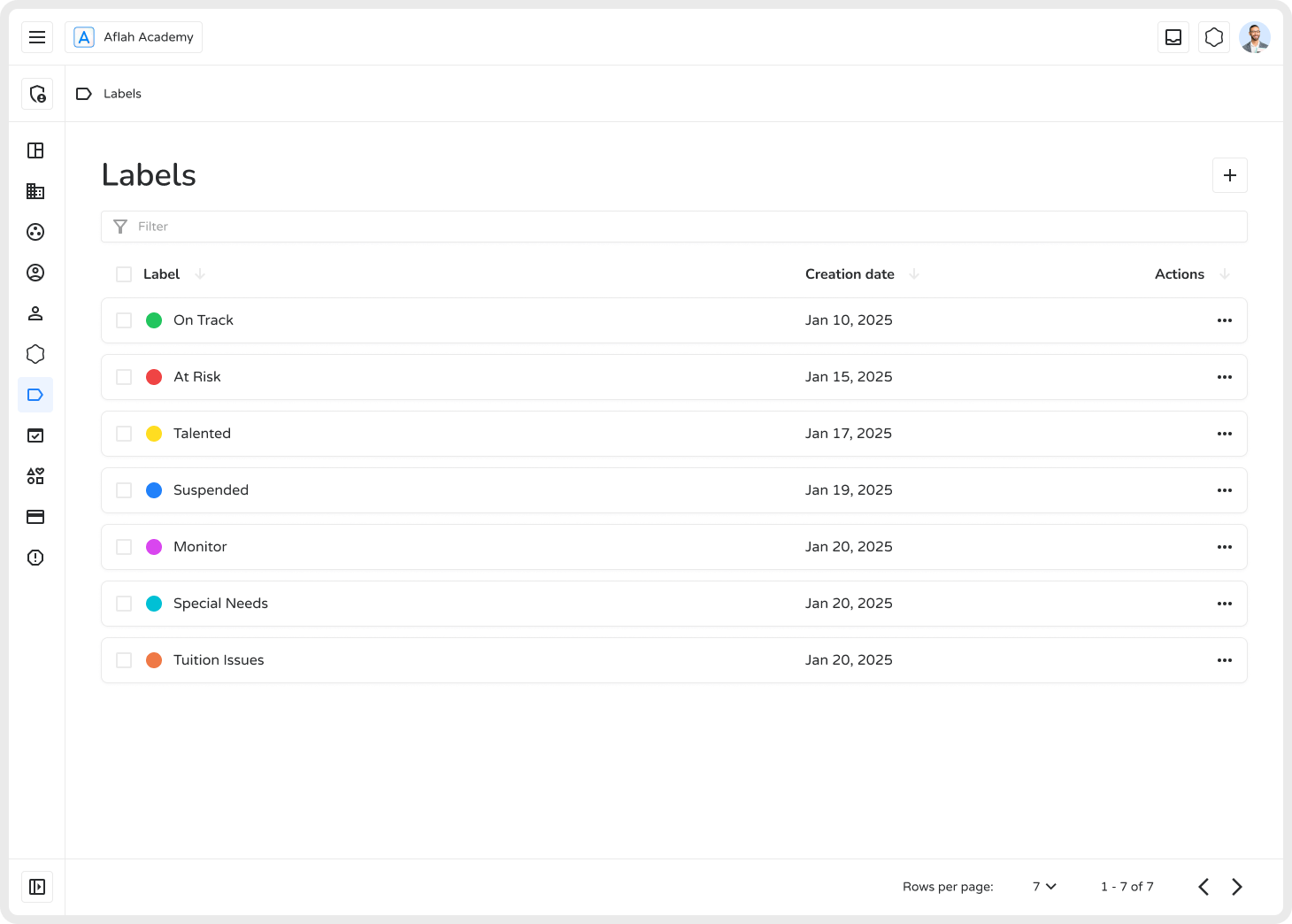
Creating Labels
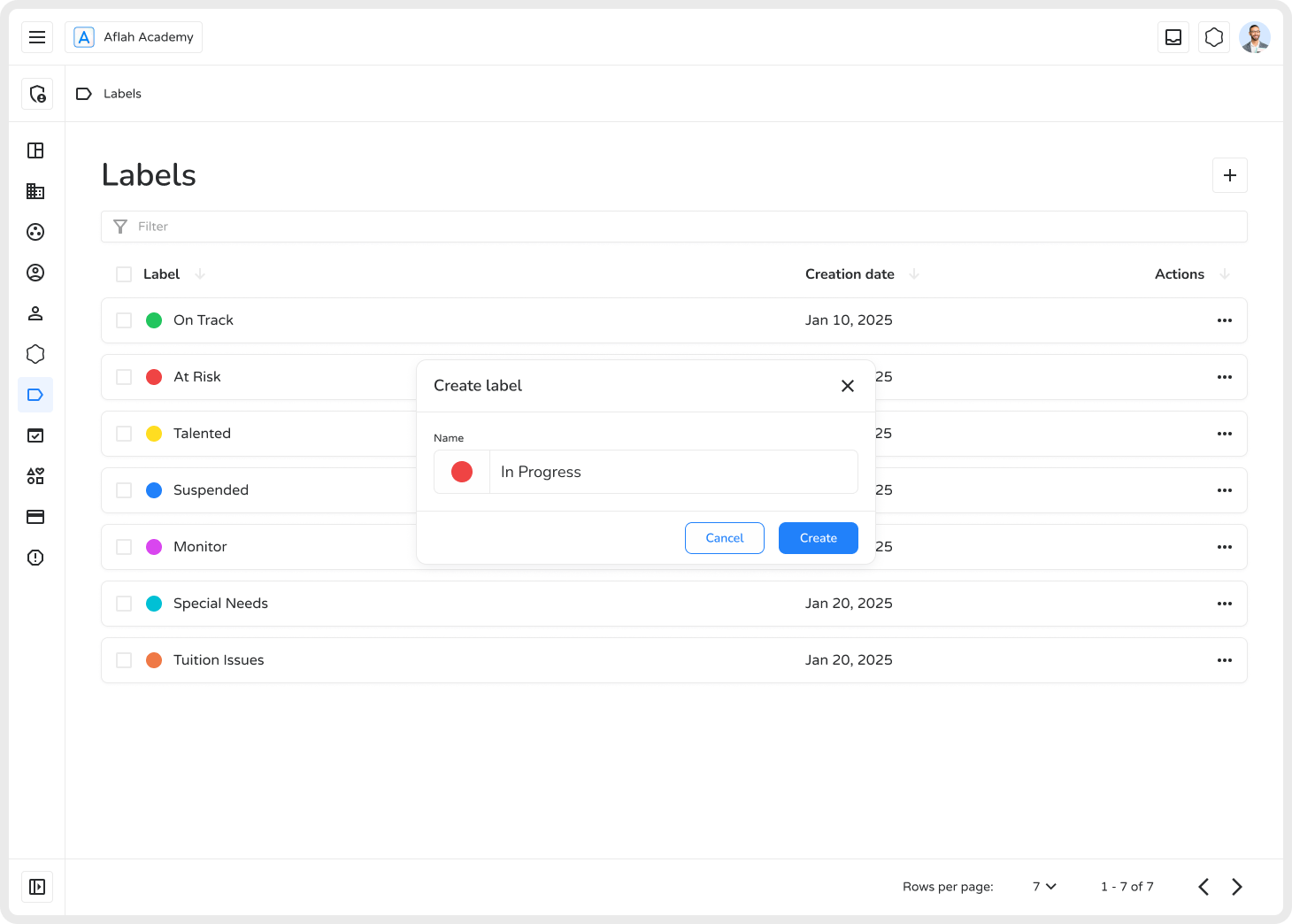
Section titled “Creating Labels”- Click the ”+” button to open the creation screen.
- Enter a name and select a color.
- Click Create to add the label.
Managing Labels
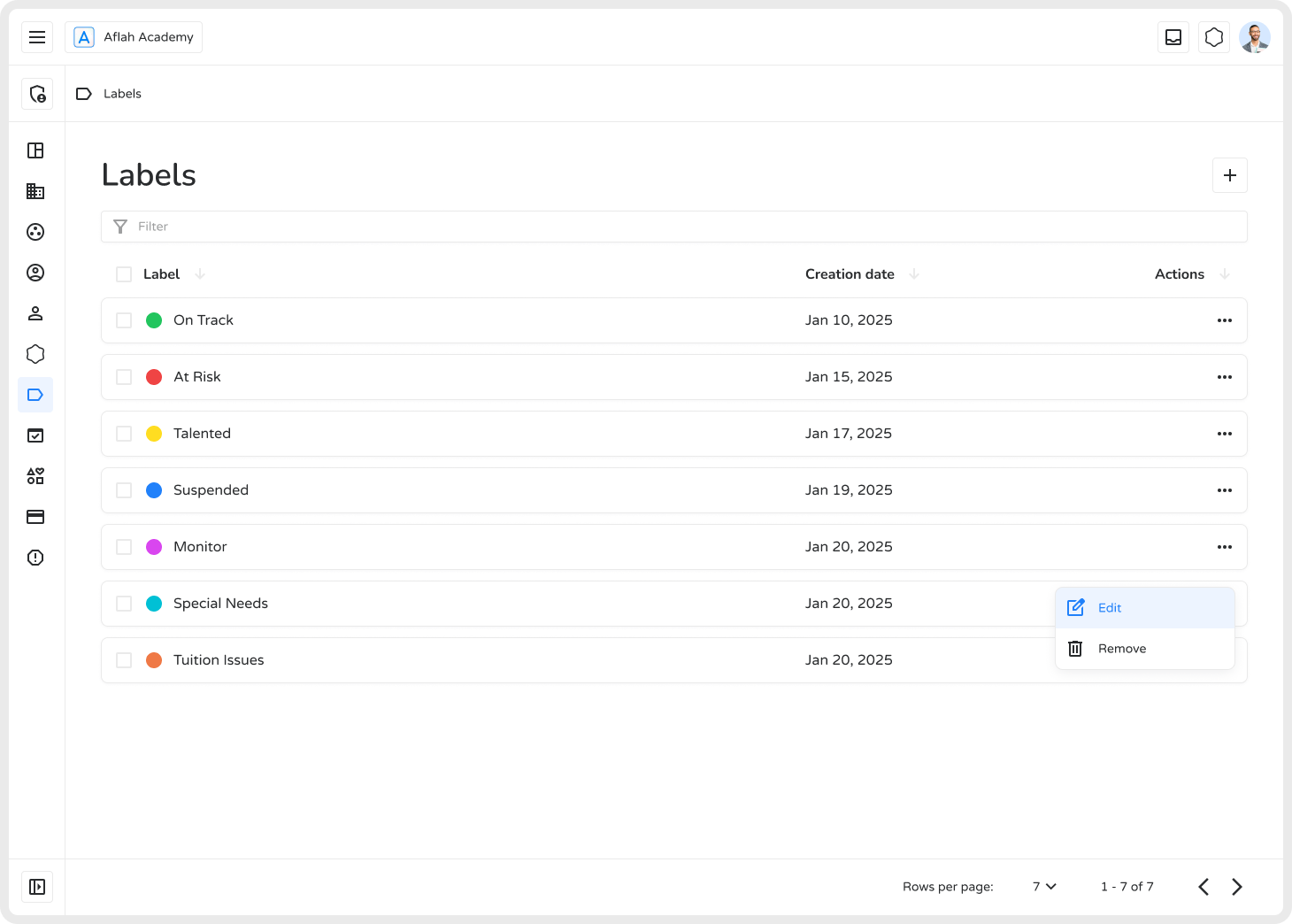
Section titled “Managing Labels”Use the three-dot menu (⋮) on any label to:
| Action | Description |
|---|---|
| Edit | Update the label’s name, color, or description |
| Delete | Remove labels permanently when no longer needed |
| Filter & Search | Quickly find specific labels using the search bar |
Benefits
Section titled “Benefits”- Easy Organization — Categorize students, tasks, or performance levels at a glance.
- Quick Identification — Colors and names provide instant visual recognition.
- Efficient Filtering — Locate specific groups or statuses without scrolling through long lists.
- Performance Tracking — Monitor progress using labels like “Needs Improvement” or “Excellent Performance”.
Using labels effectively helps streamline workflows, enhance organization, and improve productivity within Ilmiya.