Logs
Logs are a detailed record of all user activities within Ilmiya. They help institutions maintain security, transparency, and accountability by tracking every action performed by students, teachers, and administrators.
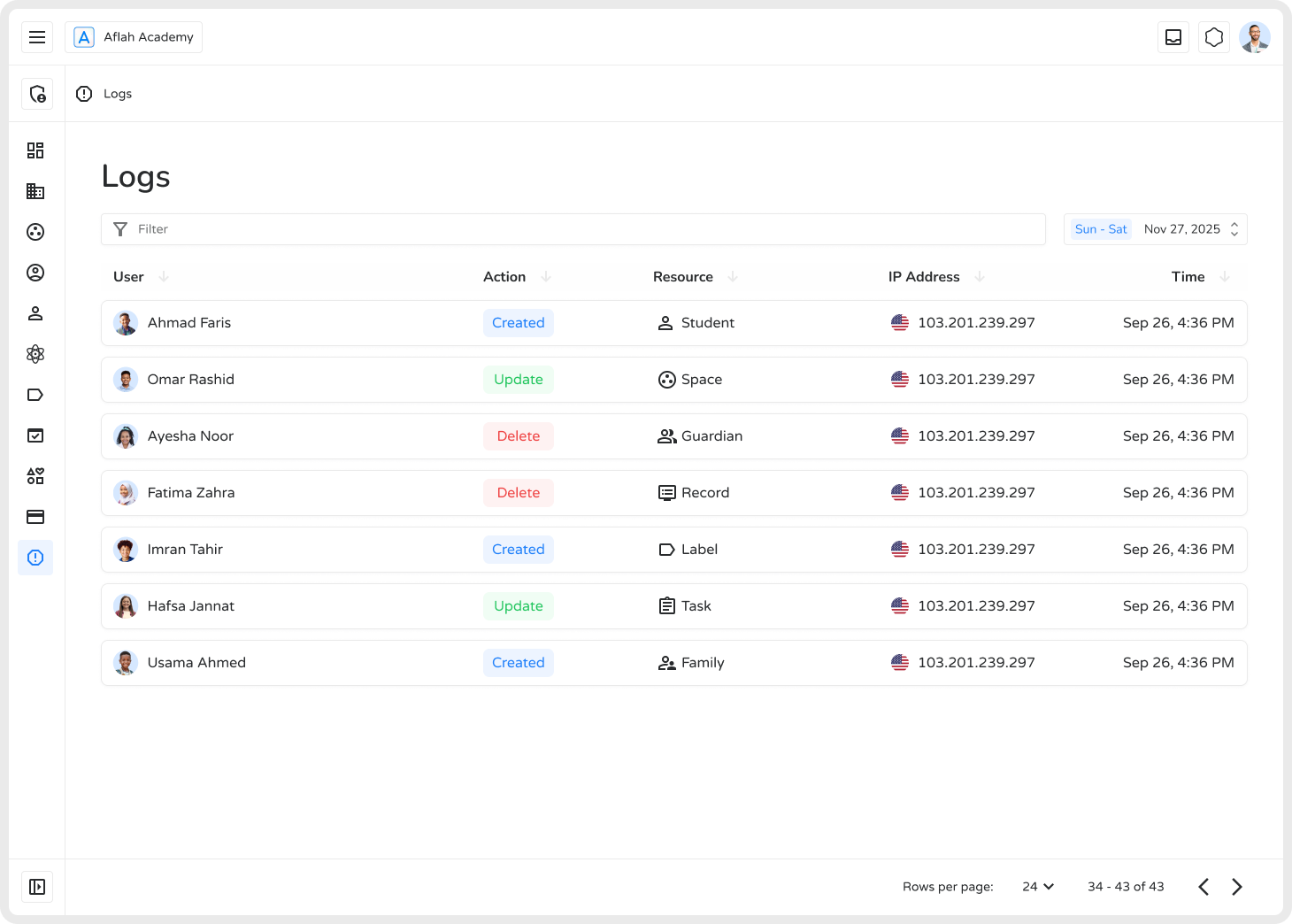
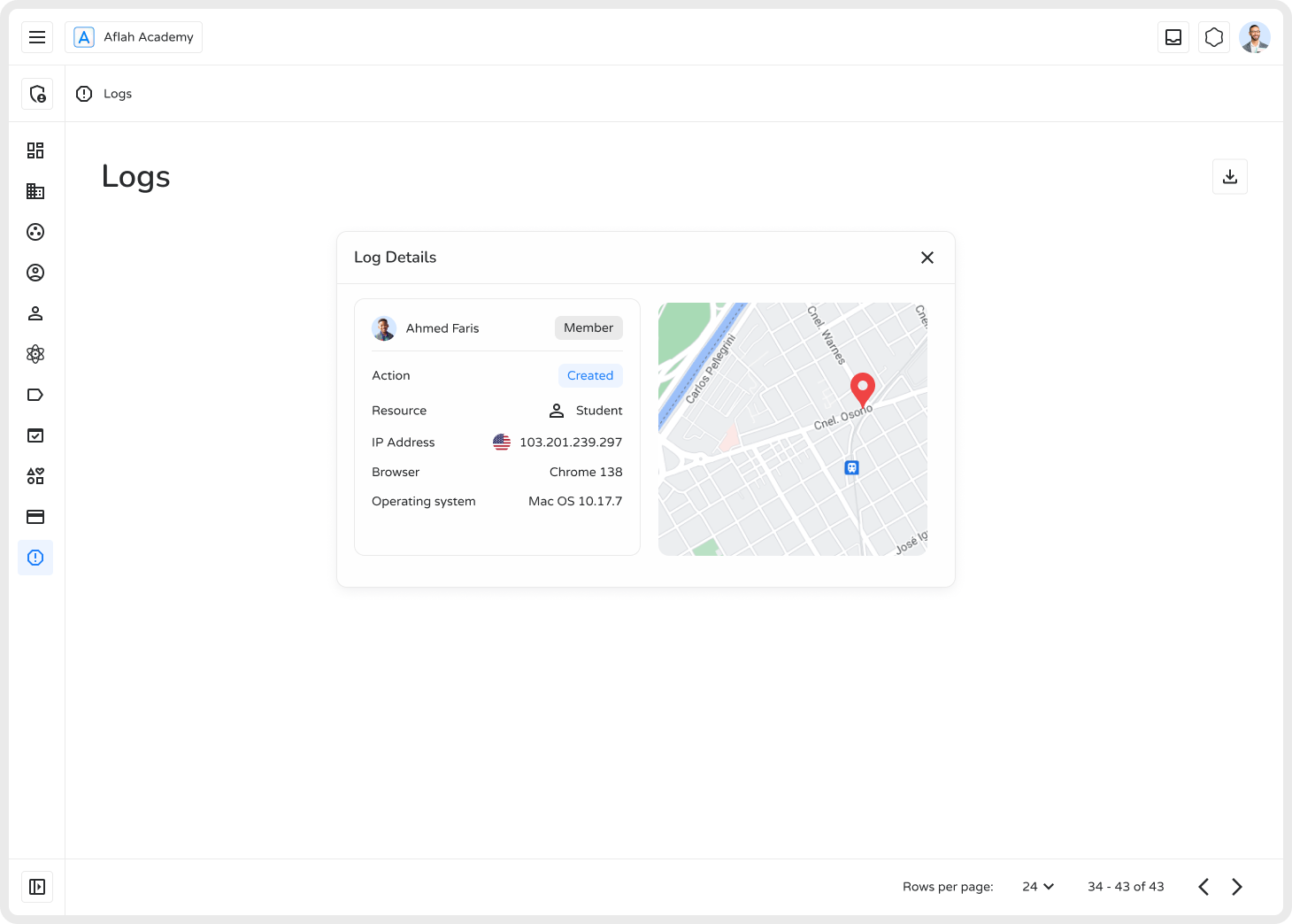
The Logs section provides real-time insights into user interactions, including live location details, and can be downloaded as a PDF for auditing purposes.
Key Features
Section titled “Key Features”1. User Activity Tracking
Section titled “1. User Activity Tracking”Logs capture every action — including account creation, modifications, and logins — ensuring a well-organized and monitored digital environment.
2. Timestamp & IP Address
Section titled “2. Timestamp & IP Address”Each log entry includes:
- The exact time the action occurred
- The user’s IP address
This helps detect suspicious or unauthorized access patterns.
3. Categorized Entries
Section titled “3. Categorized Entries”Logs are organized by:
| Field | Description |
|---|---|
| User | Who performed the action |
| Resource | What was affected (student, teacher, admin setting, etc.) |
| Action | What was done (create, modify, delete) |
| Timestamp | When it happened, for accurate tracking |
4. Security & Compliance
Section titled “4. Security & Compliance”Detailed logs support:
- Internal and external audits
- Investigation of specific incidents
- Adherence to institutional and regulatory policies
5. Search & Filter Tools
Section titled “5. Search & Filter Tools”Admins can quickly find specific events or users using built-in search and filtering options — no need to scroll through thousands of entries manually.
Why Logs Matter
Section titled “Why Logs Matter”- Prevent Unauthorized Access — Monitor all system activities in real time
- Ensure Data Integrity — Track every change made to important records
- Improve System Performance — Detect errors and unusual behavior patterns early
The Logs feature empowers institutions with complete visibility, helping maintain a safe, efficient, and compliant digital learning environment.