Spaces
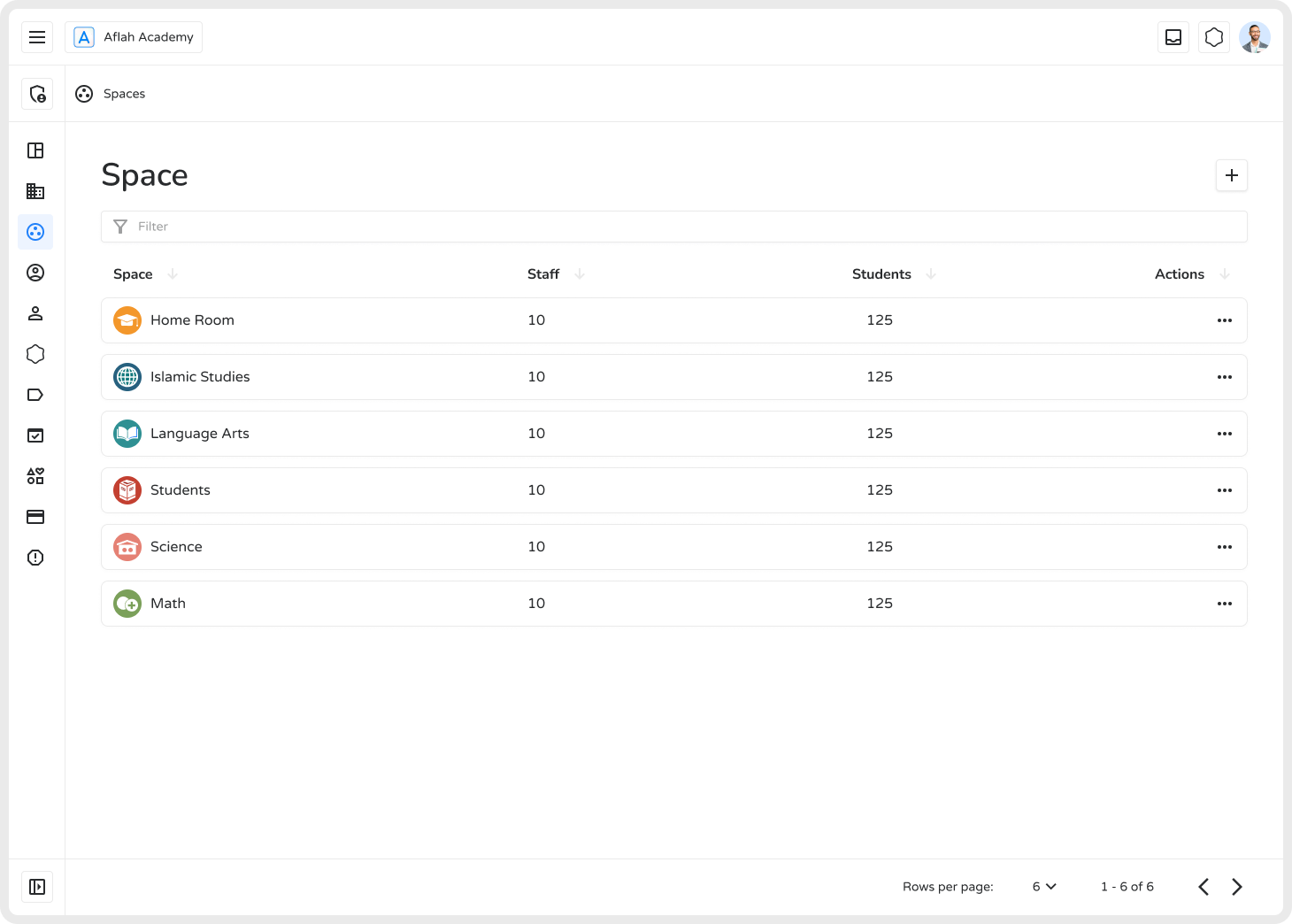
Spaces in Ilmiya act as virtual classrooms or groups used to organize students, subjects, and teams. They help institutions categorize learners, group staff, structure lessons, and maintain a clean, collaborative learning environment.
How to Add a New Space
Section titled “How to Add a New Space”- Click the ”+” icon in the top-right corner.
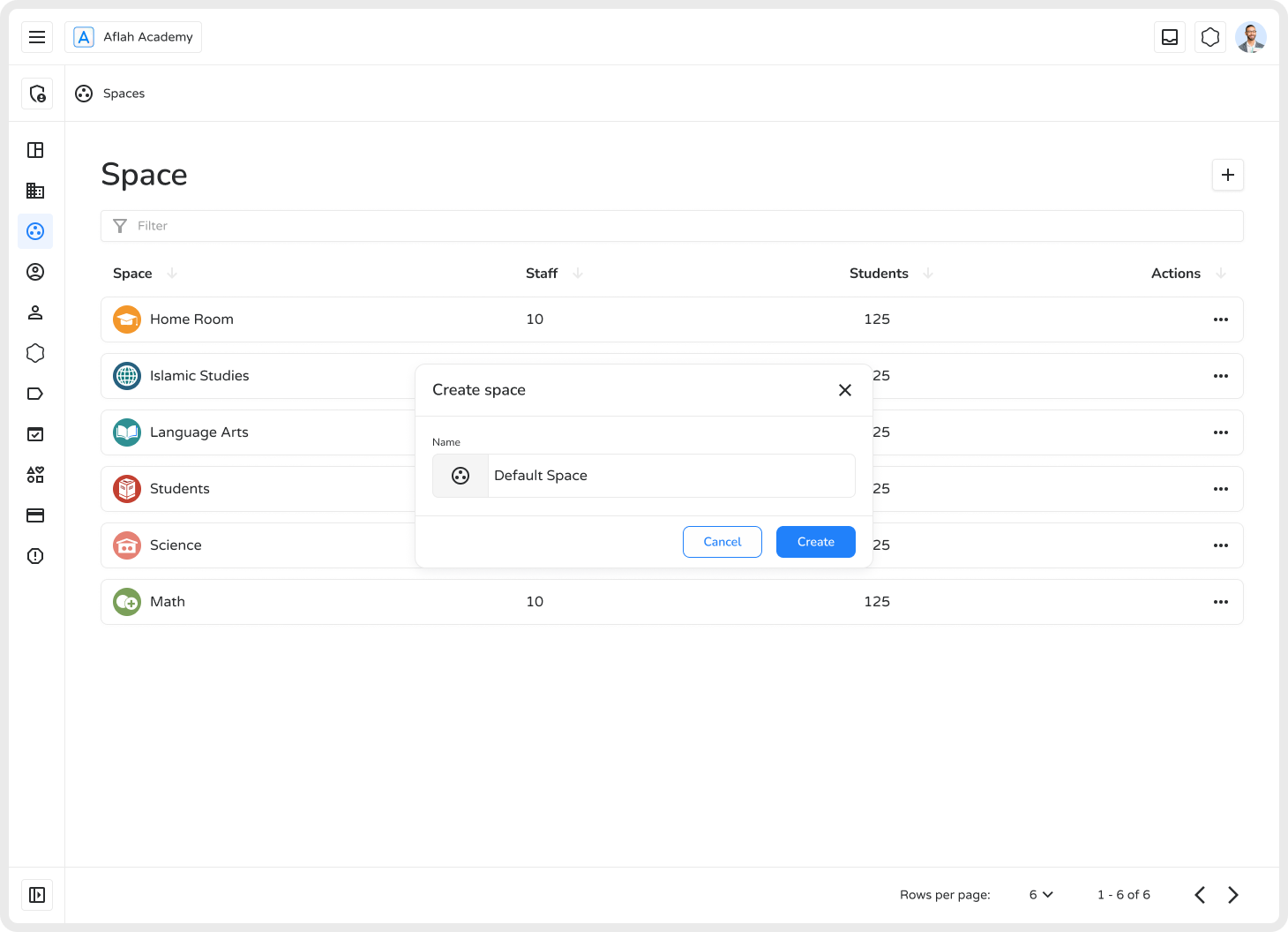
- A pop-up of Create Space will appear on screen.
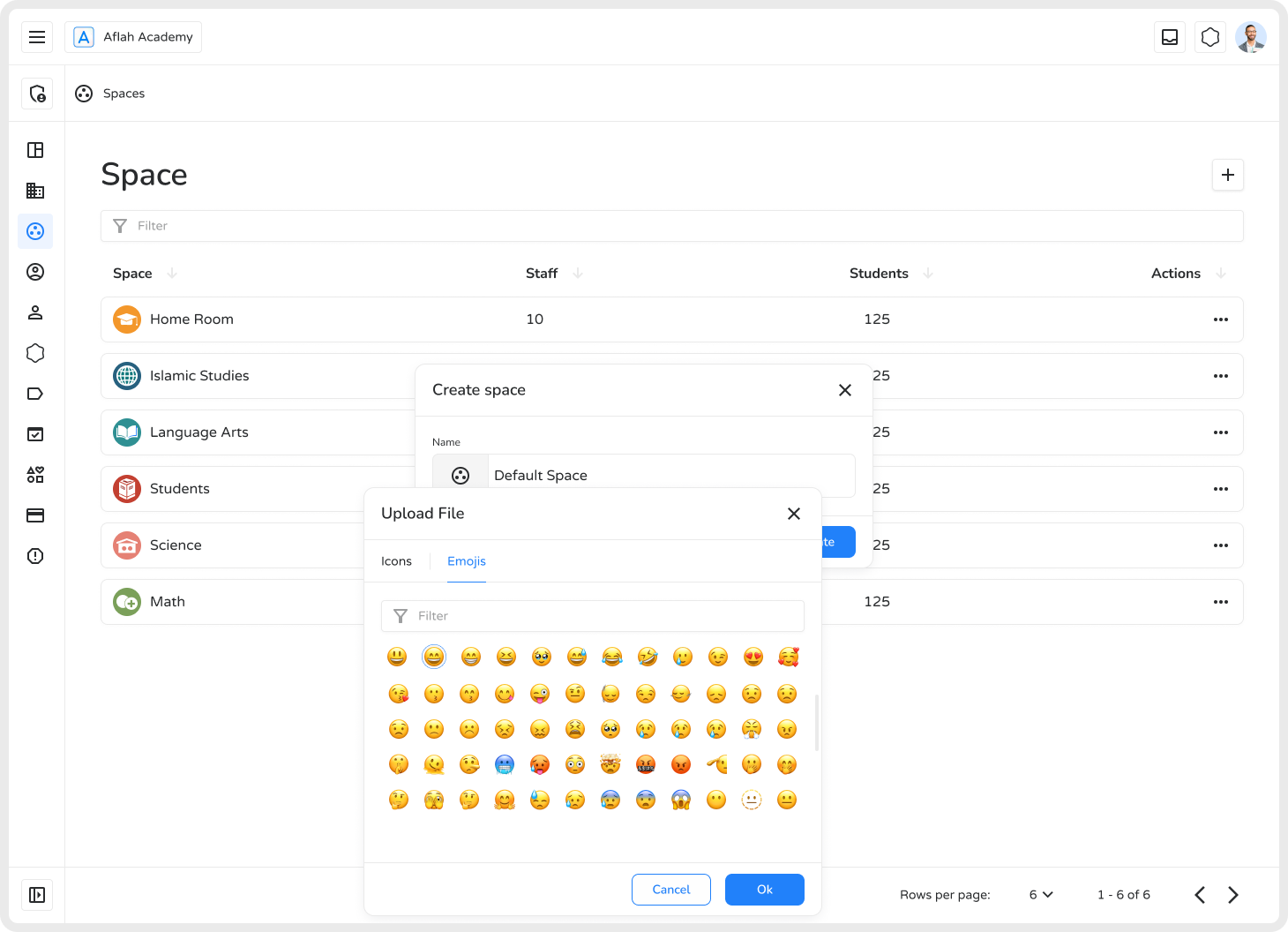
- Enter a space name and select an icon to represent it.
- Click on Create. A new space will be add.
Managing Spaces
Section titled “Managing Spaces”Each space includes an actions menu (•••) with the following options:
| Action | Description |
|---|---|
| Edit | Update name or icon |
| Add Student | Assign members to the space |
| Add Label | Categorize the space for easier filtering |
| Archive | Temporarily disable without losing data |
| Remove | Permanently delete the space |
When to Remove a Space
Section titled “When to Remove a Space”Remove a space when it’s no longer needed — such as after course completion, team restructuring, or to reduce platform clutter.
How to Remove a Space
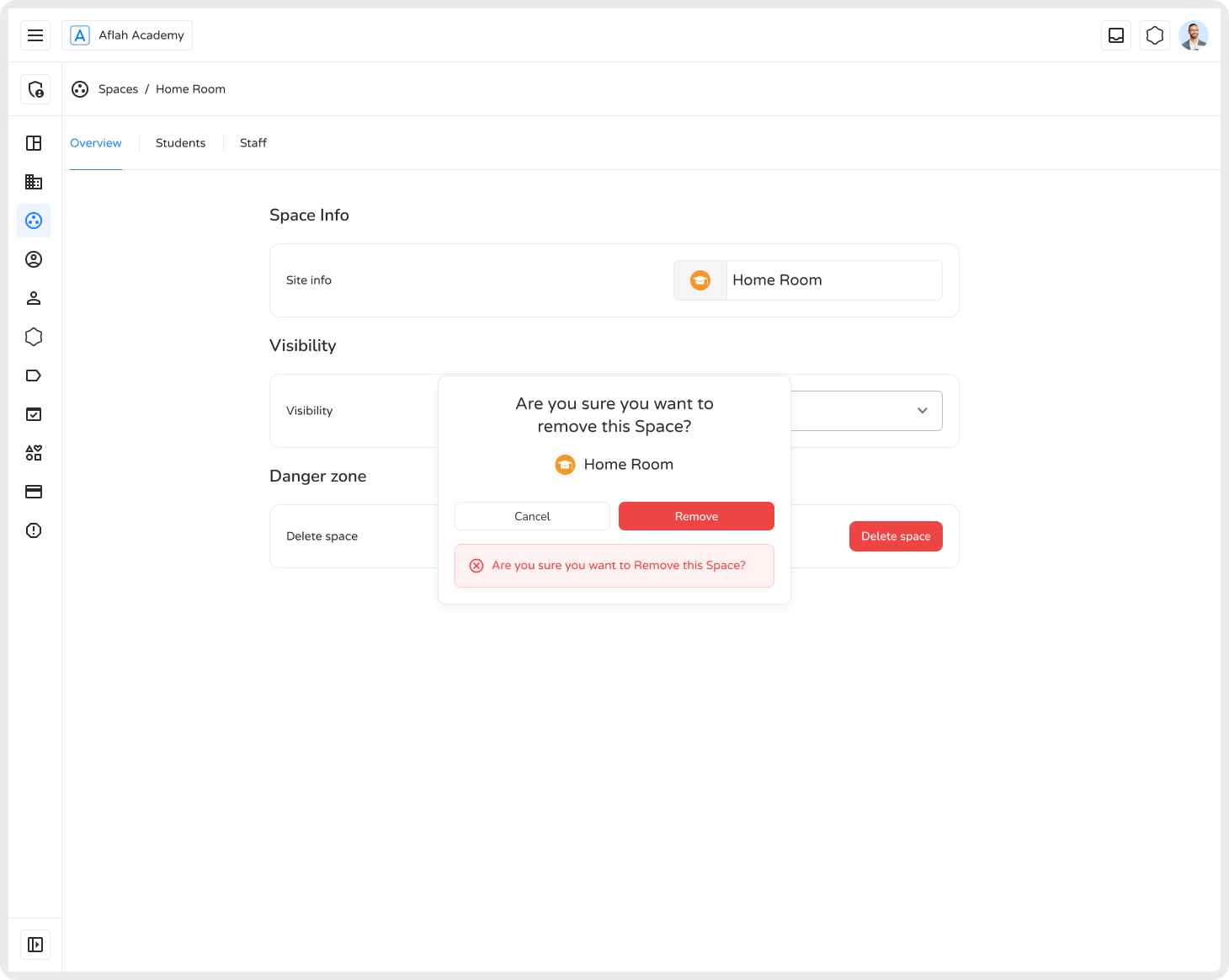
Section titled “How to Remove a Space”- Open the space from the list.
- Go to the Overview tab and click Delete Space.
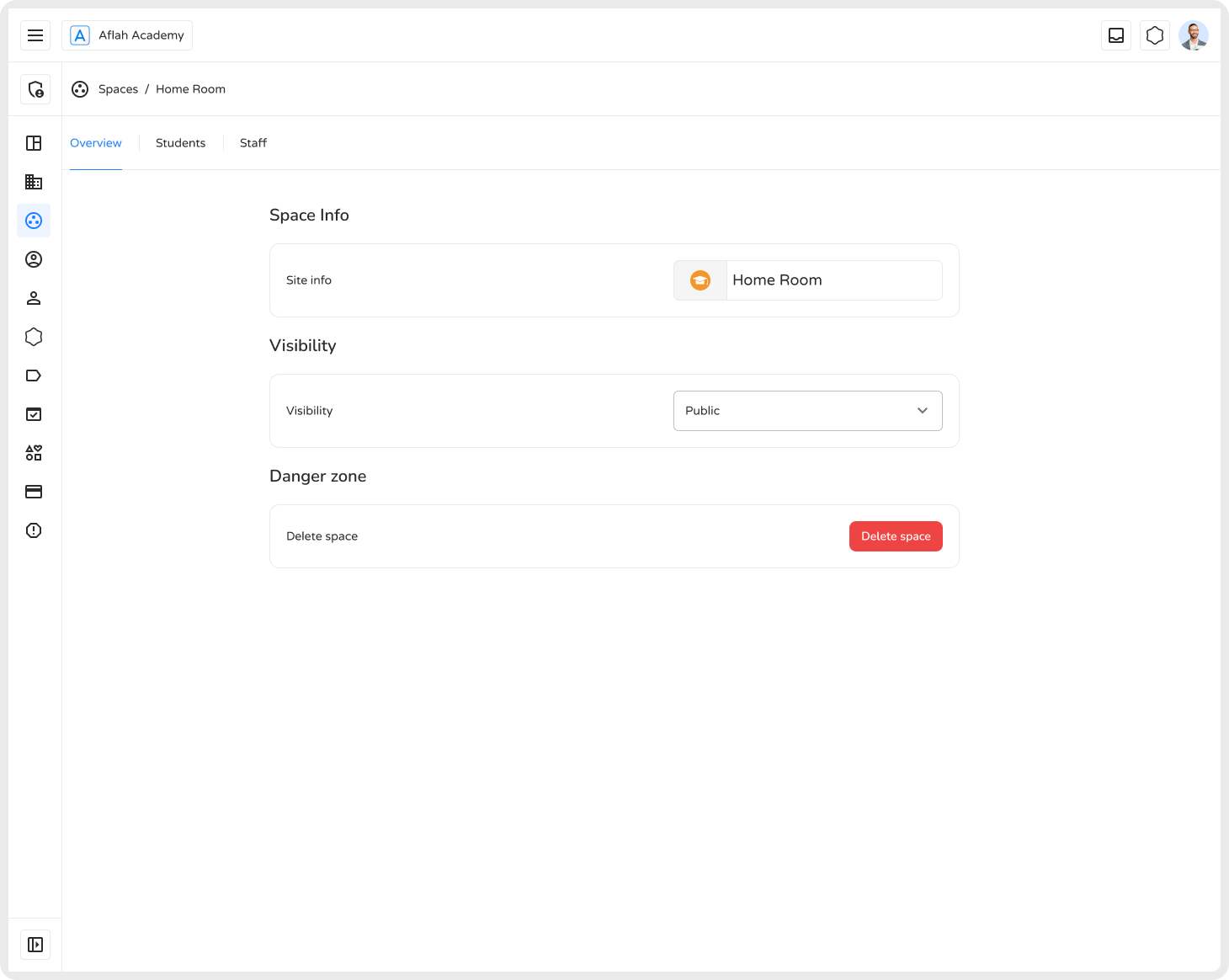
- Confirm your choice by clicking Delete in the confirmation pop-up.
- Click Cancel if you change your mind.