Create Families
The Role of Family
Section titled “The Role of Family”The Family feature in Ilmiya groups related students under a single family profile, simplifying management of academic records, attendance, and guardian information. It links siblings, reduces duplicate records, and provides a structured view of student relationships — making notifications and updates easier to manage.
How to Create a New Family
Section titled “How to Create a New Family”- Click the ”+” icon on the right side of the screen.
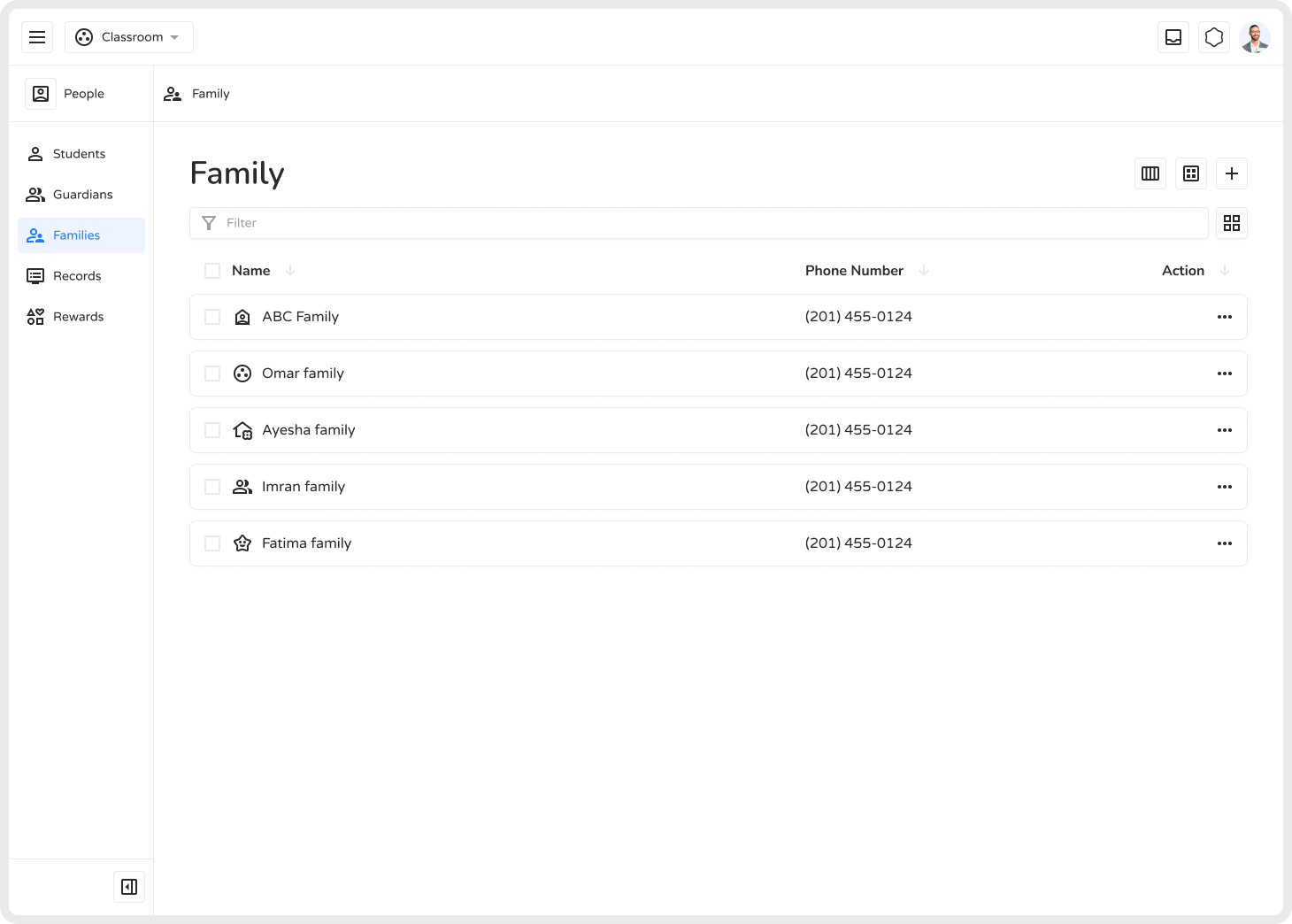
- Enter the family name (e.g., “ABC Family”).
- Choose a visual representation:
- Search emojis
- Browse icons
- Select Signed for verified families
- Or Cancel to skip
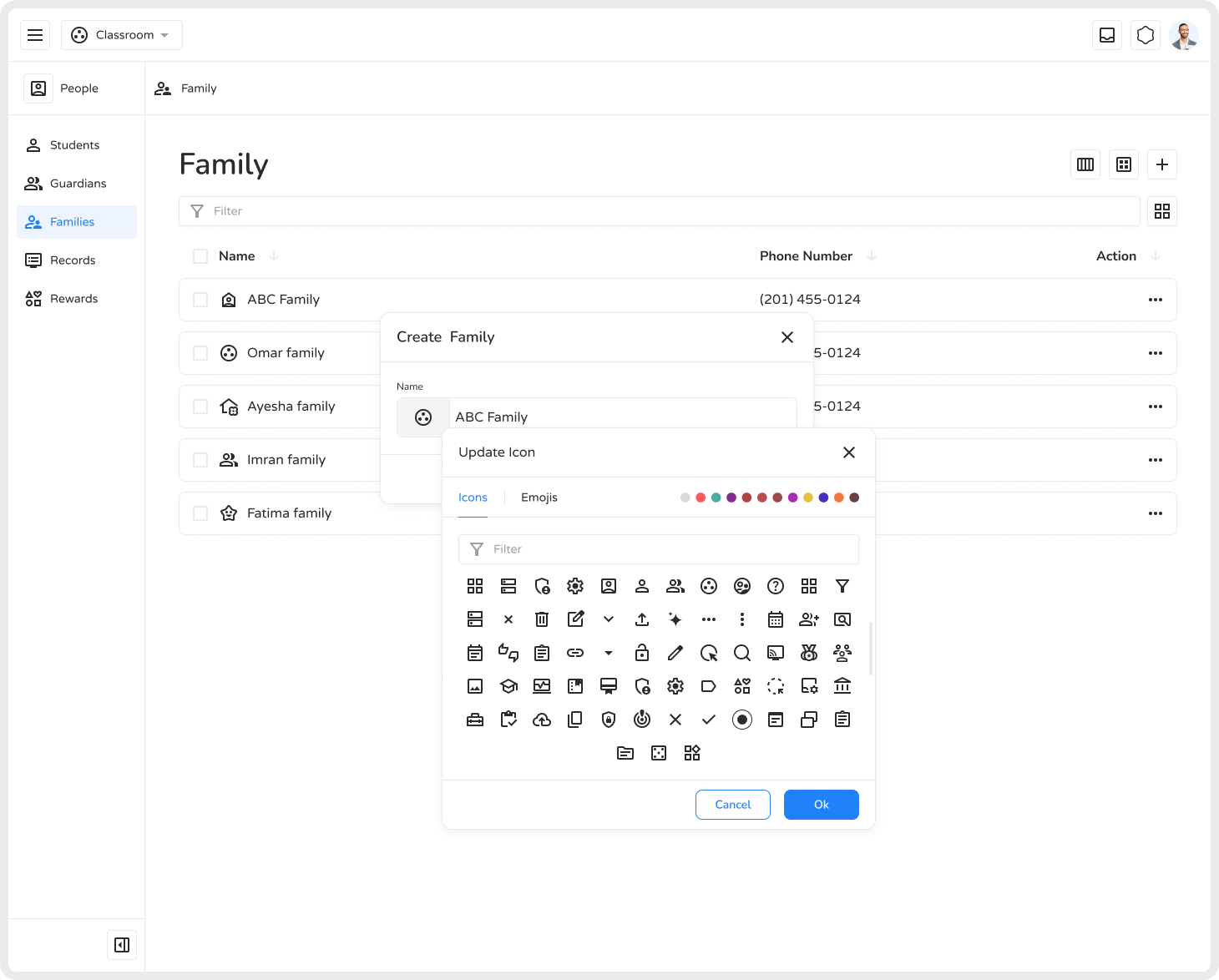
- The new family profile is created, ready for linking students and adding notes.
Benefits of Creating Families
Section titled “Benefits of Creating Families”| Benefit | Description |
|---|---|
| Better Organization | Group students for structured management |
| Simplified Record-Keeping | Accurate tracking of student-family relationships |
| Enhanced Identification | Use images and detailed info for easy recognition |
| Effortless Guardian Management | Access guardian details quickly |
| Reduced Data Duplication | Link siblings under one profile |
| Streamlined Admin Tasks | Manage multiple student records efficiently |
Creating families in Ilmiya ensures a connected, organized, and well-structured educational environment.