Managing Records
Records help track progress, organize tasks, and document milestones. Keeping them updated and removing outdated entries ensures a clean, efficient workspace.
Why Manage Records
Section titled “Why Manage Records”- Edit Records — Refine or expand entries as tasks or goals evolve.
- Remove Records — Delete outdated or unnecessary entries to reduce clutter.
How to Edit a Record
Section titled “How to Edit a Record”- Go to the Records page.
- Click the three-dot (⋯) menu beside the record and select Edit.
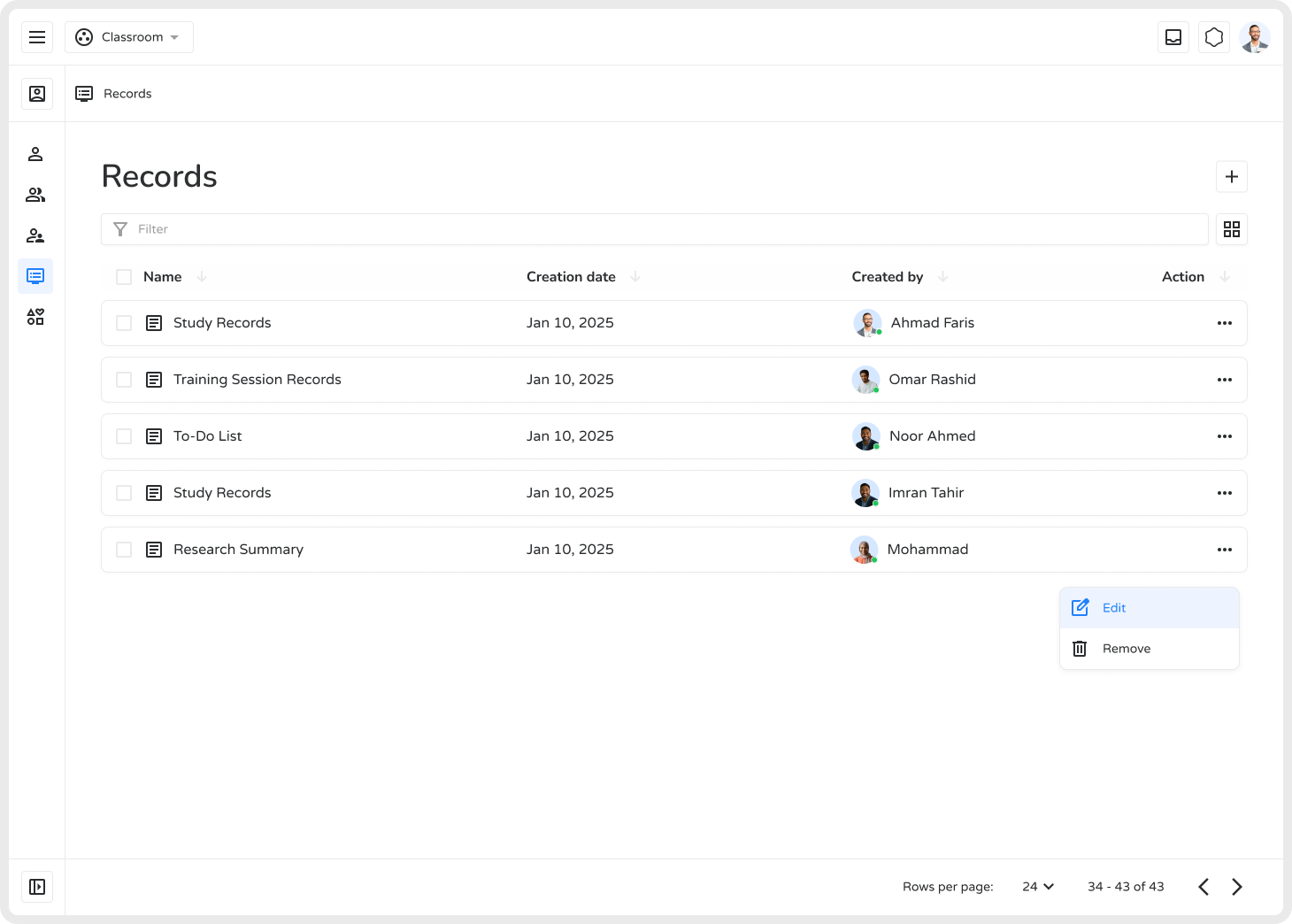
- Update the title, content, or details.
- Click Save to apply changes.
This is especially useful for to-do lists, class summaries, or progress tracking documents that need frequent updates.
How to Remove a Record
Section titled “How to Remove a Record”- Go to the Records page.
- Click the three-dot (⋯) menu next to the record and select Remove.
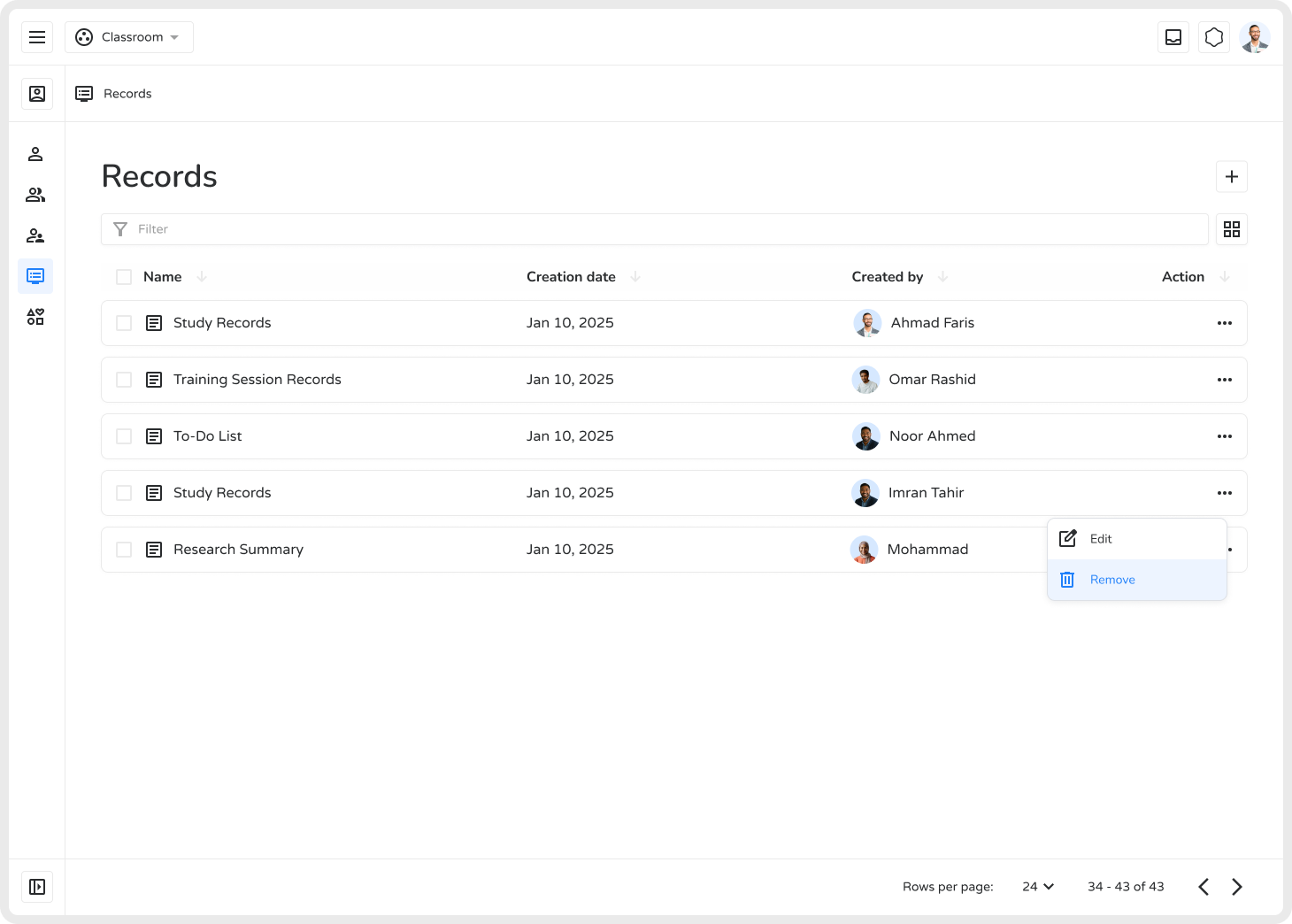
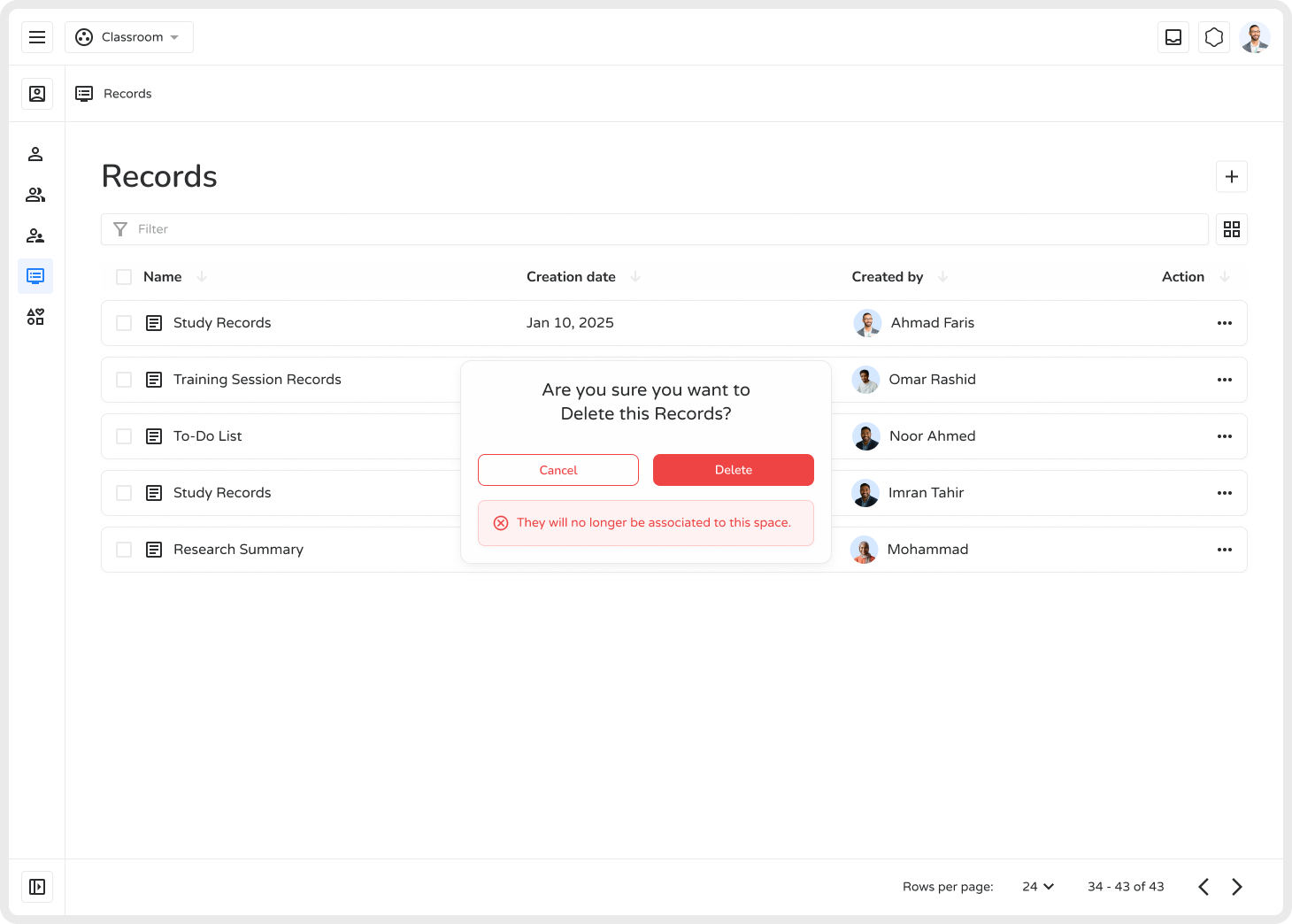
- Confirm deletion in the popup by clicking Delete.
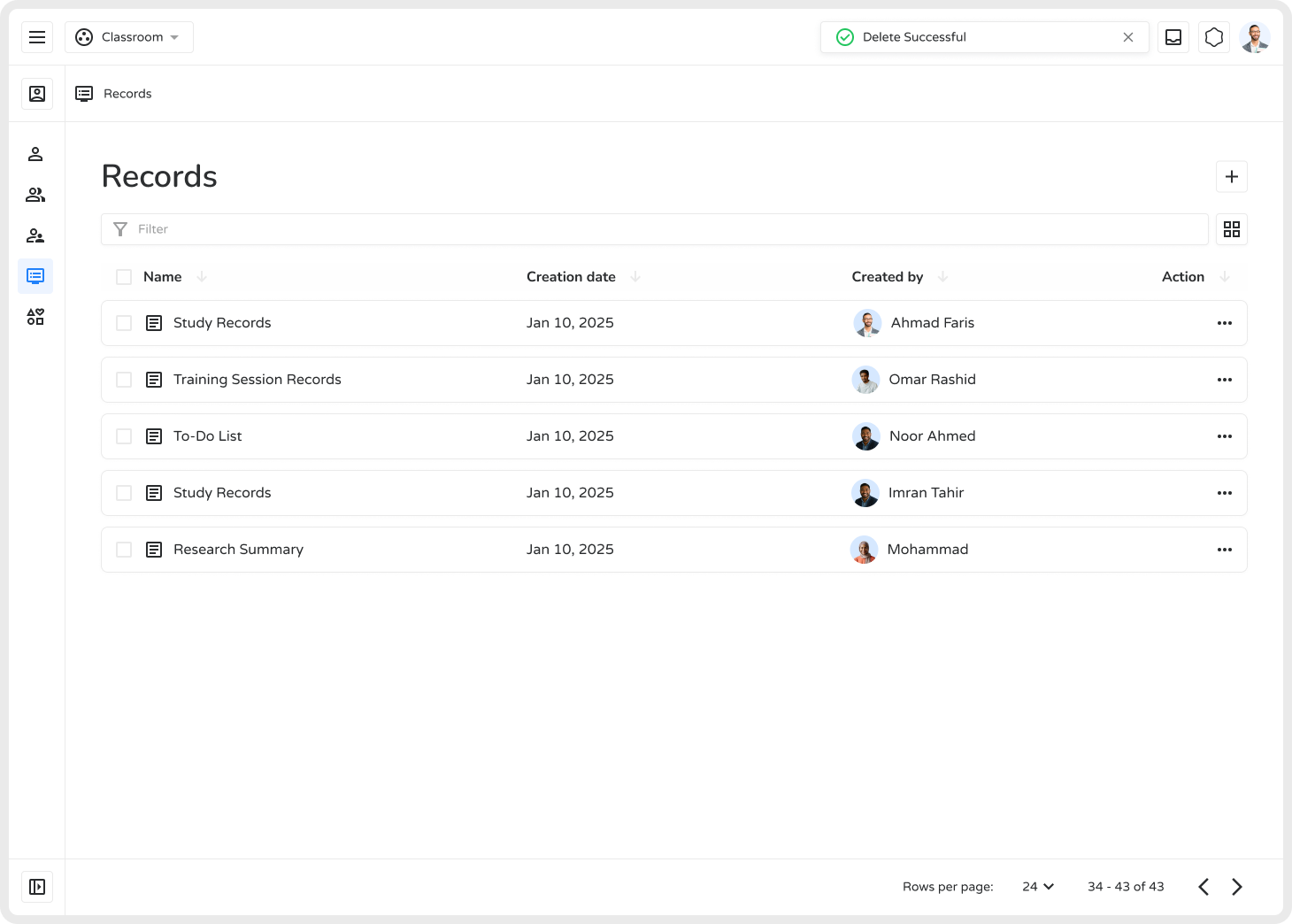
- A confirmation message will appear: “Record deleted successfully.”
Outcome
Section titled “Outcome”Editing and removing records keeps your academic workspace organized, focused, and up to date.