Archiving Students
When a student is removed from active enrollment, their profile is moved to the Archive instead of being permanently deleted. This preserves historical data, supports record-keeping requirements, and allows easy restoration when needed.
How to Archive a Student
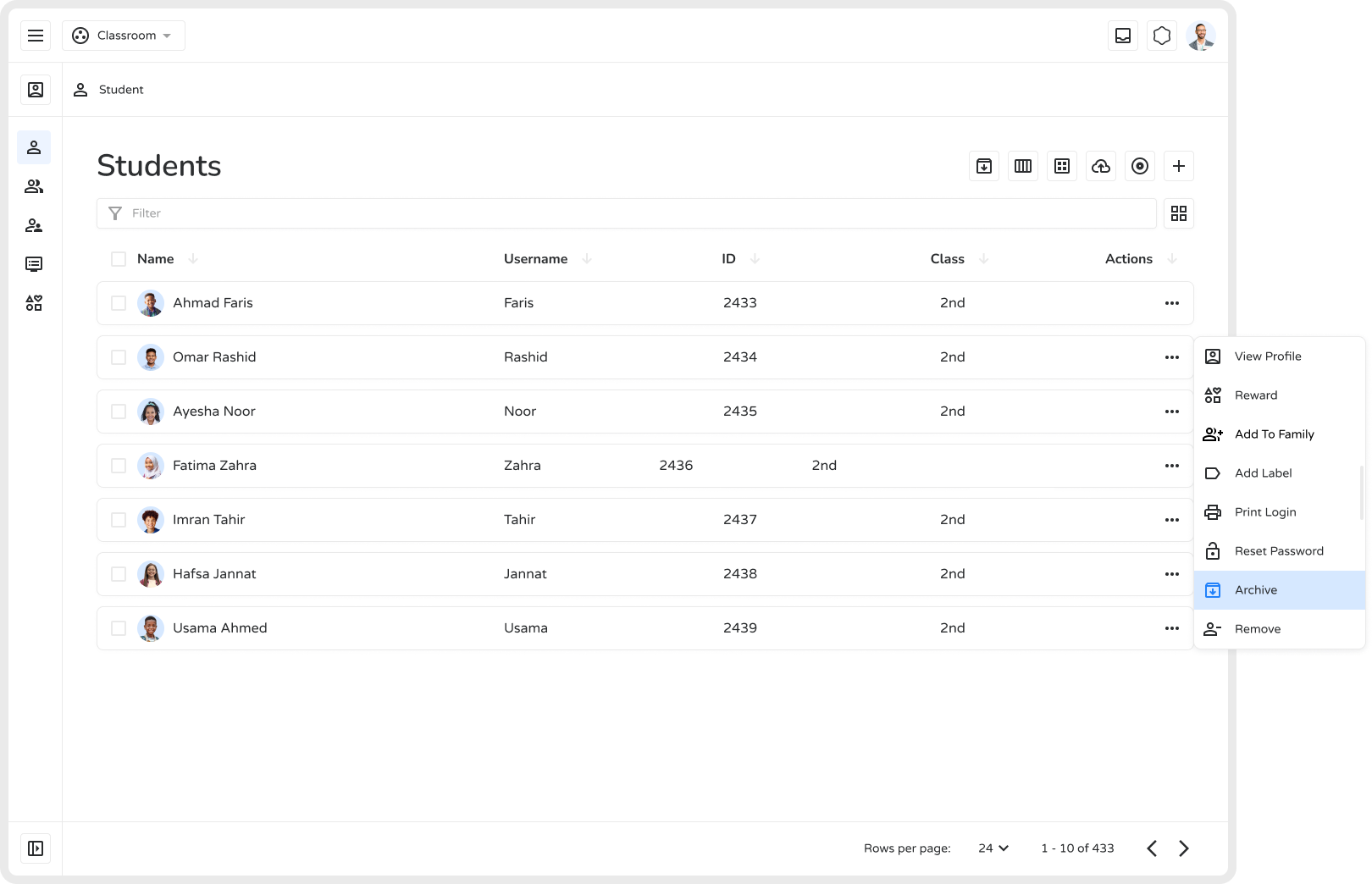
Section titled “How to Archive a Student”- Go to the Students section to view all active profiles.
- Find the student you want to archive.
- Click the three-dot (•••) menu next to the student.
- Select Archive from the dropdown.
- View archived students anytime by opening the Archived Students list.
Benefits of Archiving
Section titled “Benefits of Archiving”- Preserves data for future reference
- Reduces clutter in active student lists
- Maintains compliance with record-retention requirements
- Allows restoration if the student returns or data is needed