Bulk Import
ILMIYA’s bulk import feature allows you to upload multiple student records at once, saving time, reducing errors, and streamlining student management.
How to Bulk Import Students
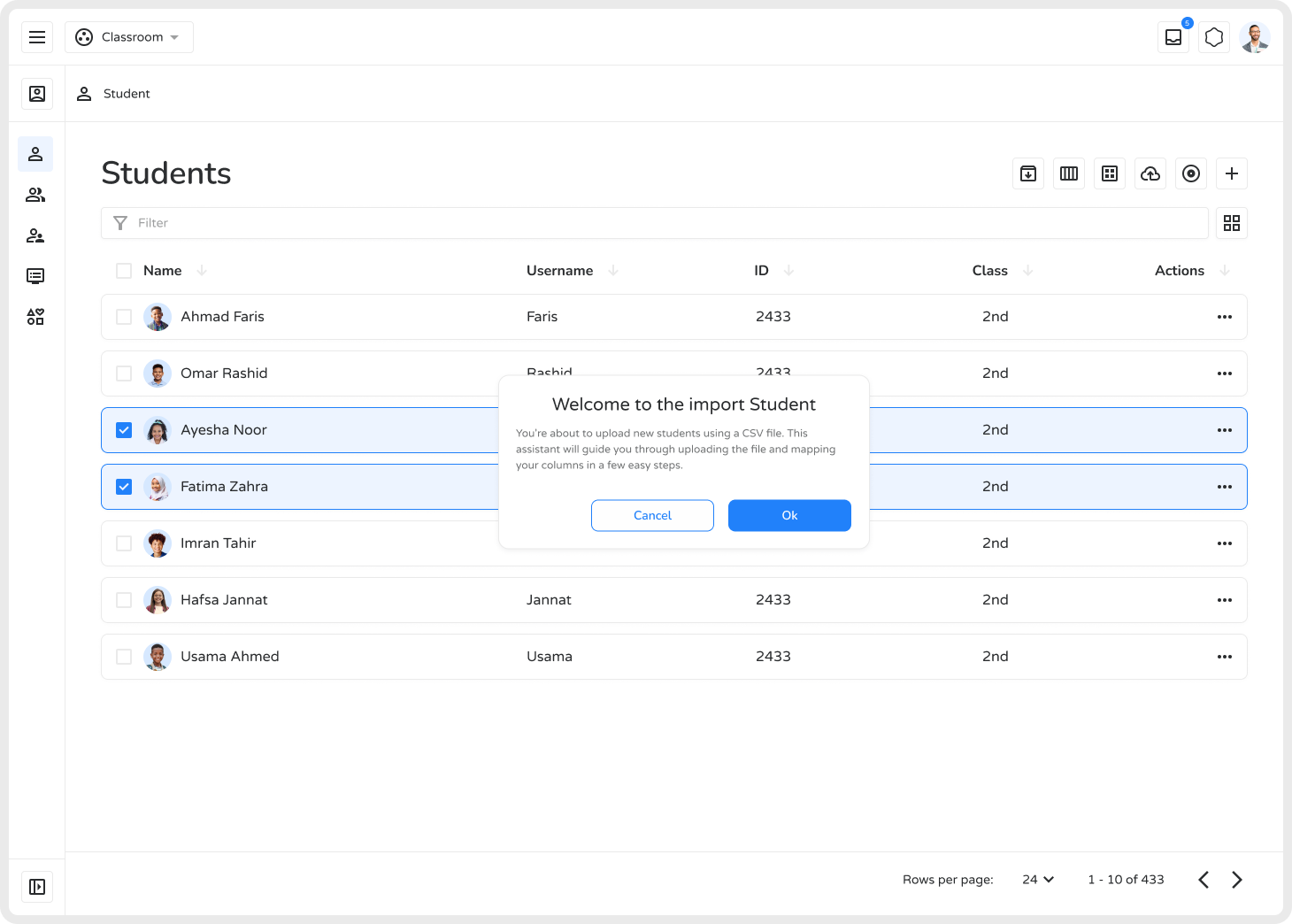
Section titled “How to Bulk Import Students”- Go to All Student Streams and click the Import / Bulk Import icon.
-
A modal appears — upload or paste your student data to begin.
-
A spreadsheet-like interface will appear with columns for student details (name, roll number, stream, grade, etc.). Fill in the table manually or paste data from an external source (e.g., Excel).
-
Click the import icon in the upper-left and upload your CSV file to add student data at once.
-
Use dropdown options for fields like “stream” or “grade” to assist with data entry.
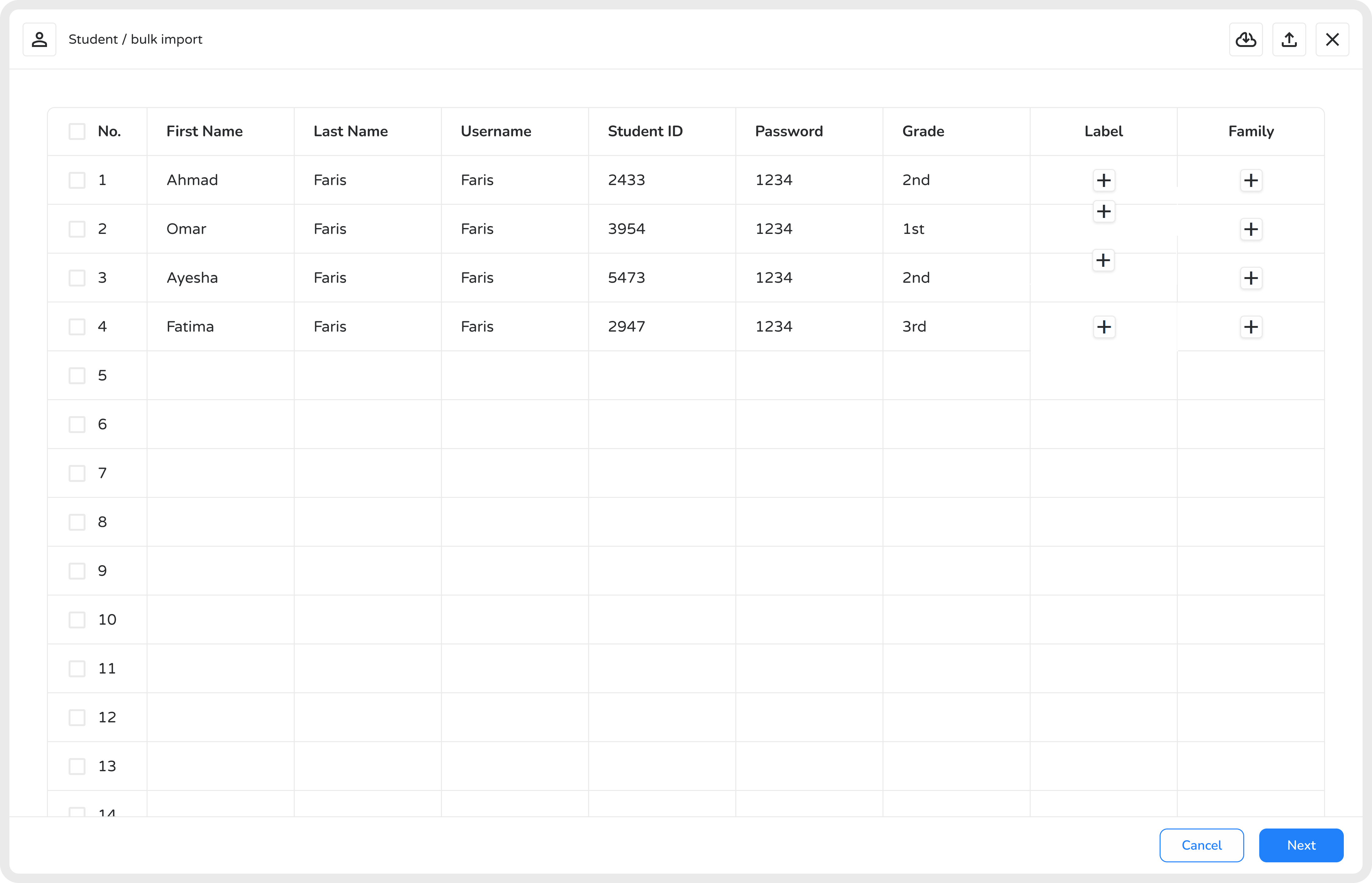
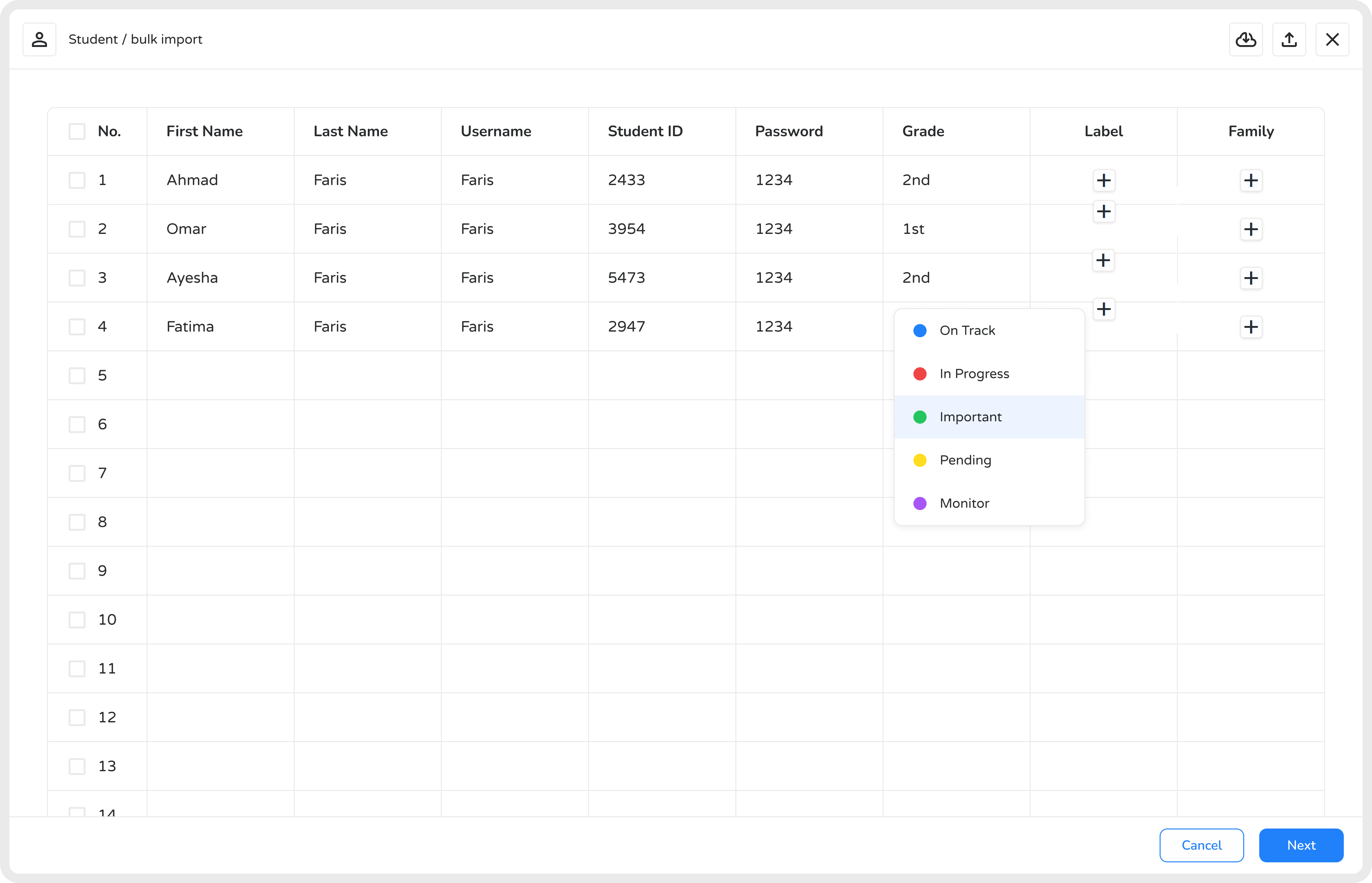
- Right-click or use the Labels icon to add and color-code labels for categorization.
-
After resolving any errors, review the complete list to confirm data accuracy.
-
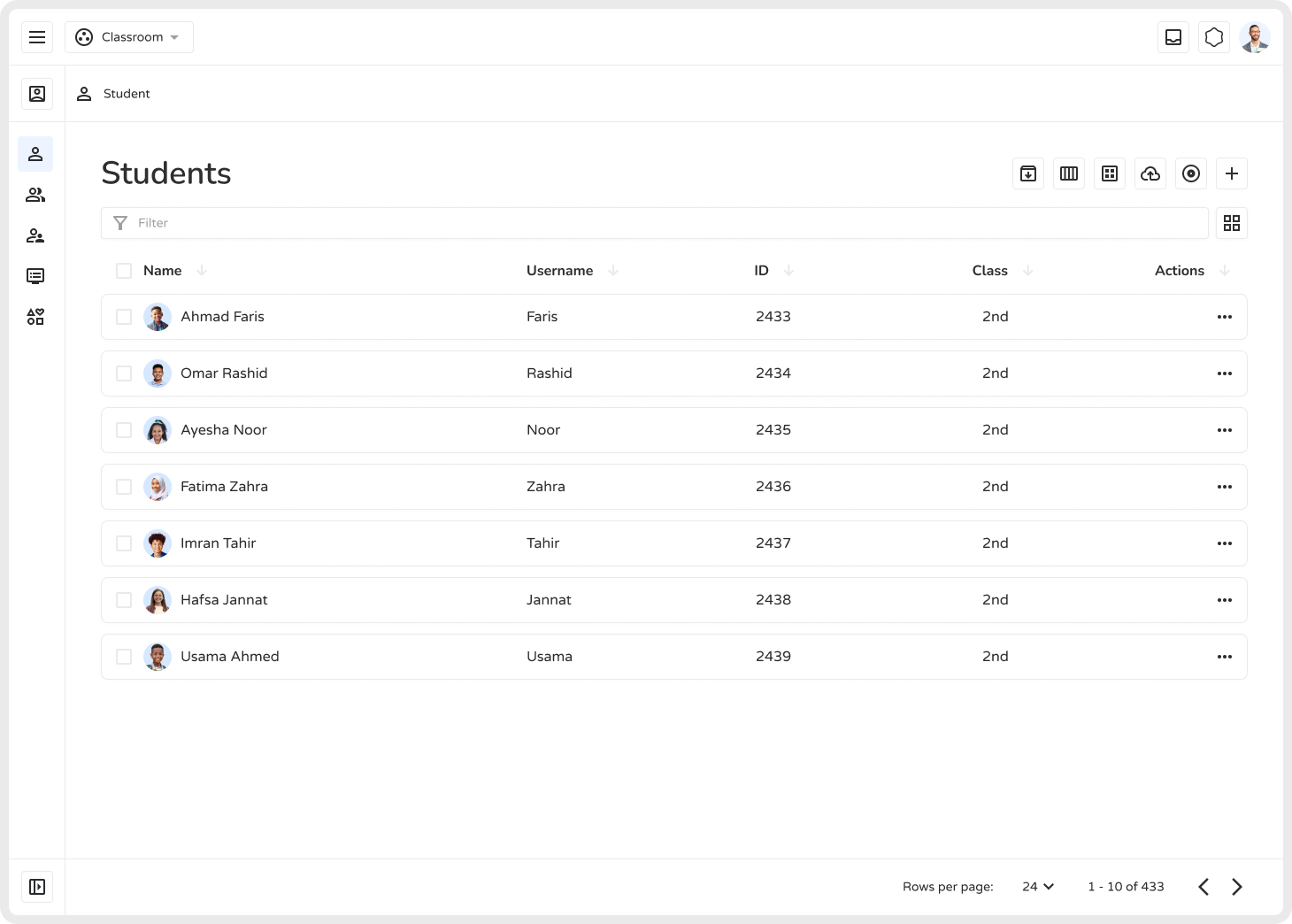
Click Submit or Finish Import to finalize. A success message will confirm completion.
-
All listed students will be add at once.
Key Features
Section titled “Key Features”| Feature | Description |
|---|---|
| CSV Upload | Quick and easy bulk data entry |
| Automated Mapping | Ensures correct organization of student details |
| Error Detection | Identifies missing or incorrect information |
| Batch Processing | Import hundreds or thousands of records at once |
| Editable Data | Review and correct before finalizing |
| Duplicate Handling | Prevents redundant entries |
| Secure & Reliable | Maintains confidentiality and prevents unauthorized changes |
Bulk import in ILMIYA makes enrollment faster, data more accurate, and student management more efficient.