Remove Students
Accurate student records are essential for a smooth-running digital classroom. Removing inactive, graduated, or mistakenly added students helps maintain data accuracy and relevance.
How to Remove a Student
Section titled “How to Remove a Student”- Navigate to the Student Page — Go to the Student tab to view all enrolled users.
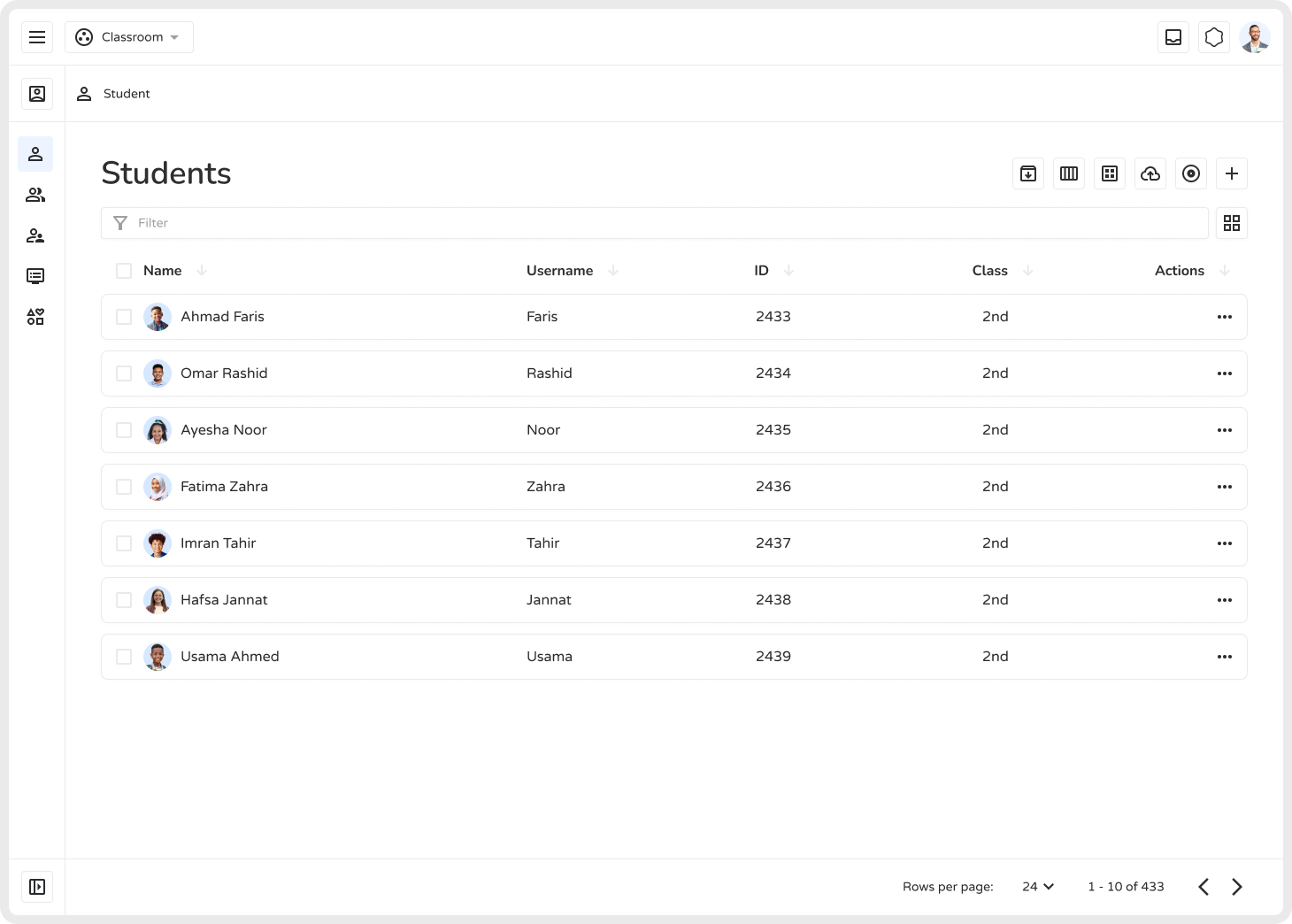
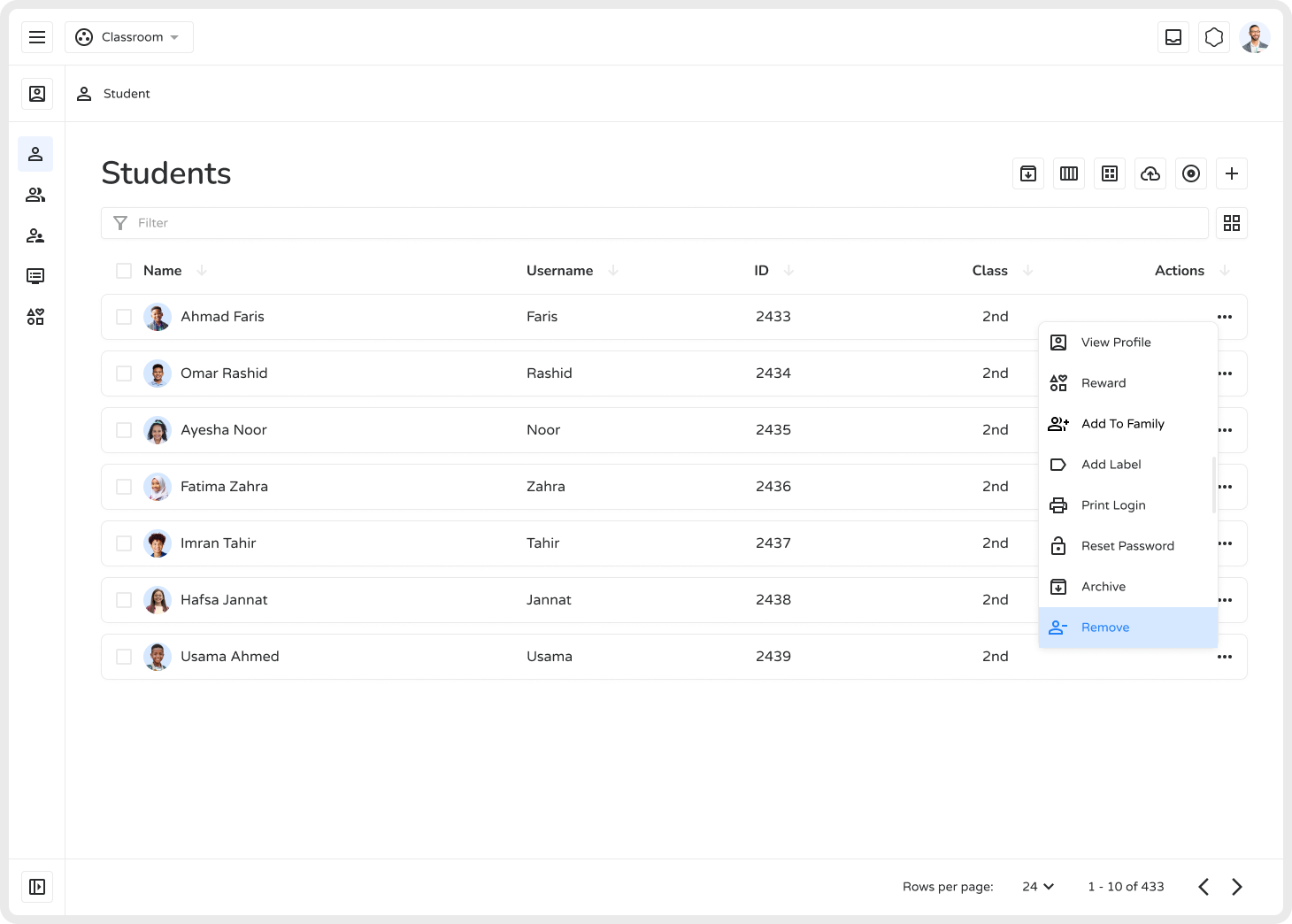
- Access the Action Menu — Click the three-dot (⋮) menu next to the student and select Remove.
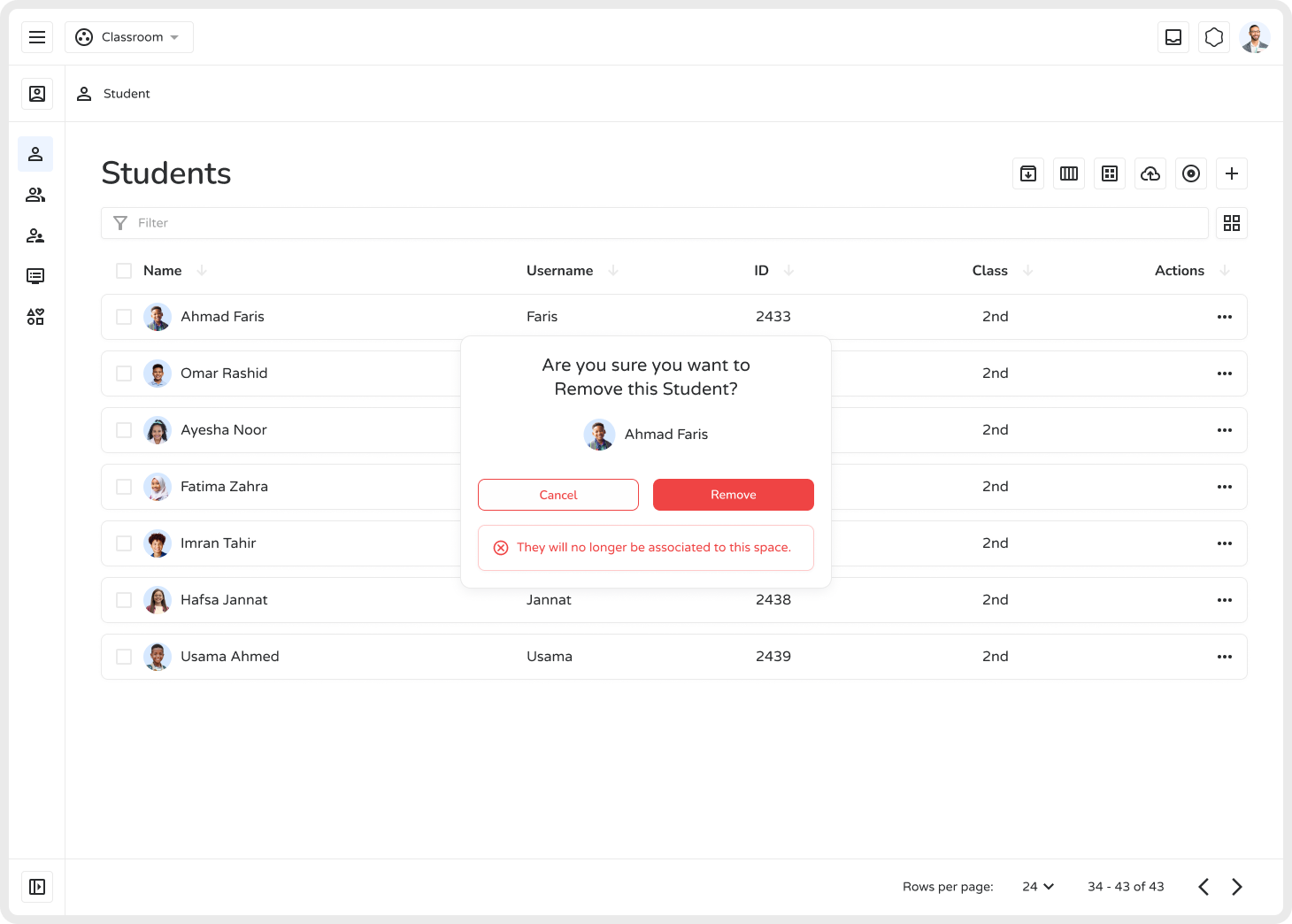
- Confirm Deletion — A pop-up will appear with two options:
- Delete — Permanently removes the student
- Cancel — Keeps the student in the system
Important Notes
Section titled “Important Notes”- Ensure compliance with data privacy and educational regulations before removing records.
- If you’re unsure, use Archive instead — it preserves data and is fully reversible.